Data Catalog
The Data Catalog is the single source of truth for everything DataStori knows about your data. It documents your pipelines and the datasets they create, so you and your team can discover what data is available, understand its structure, and find where it lives — across the bronze, silver, and gold layers.
What the catalog documents
For every pipeline, the catalog records the datasets it produces along with:
- the source → destination mapping (for example, SAP HANA → Snowflake),
- the schedule the pipeline runs on, and
- when the dataset was last ingested.
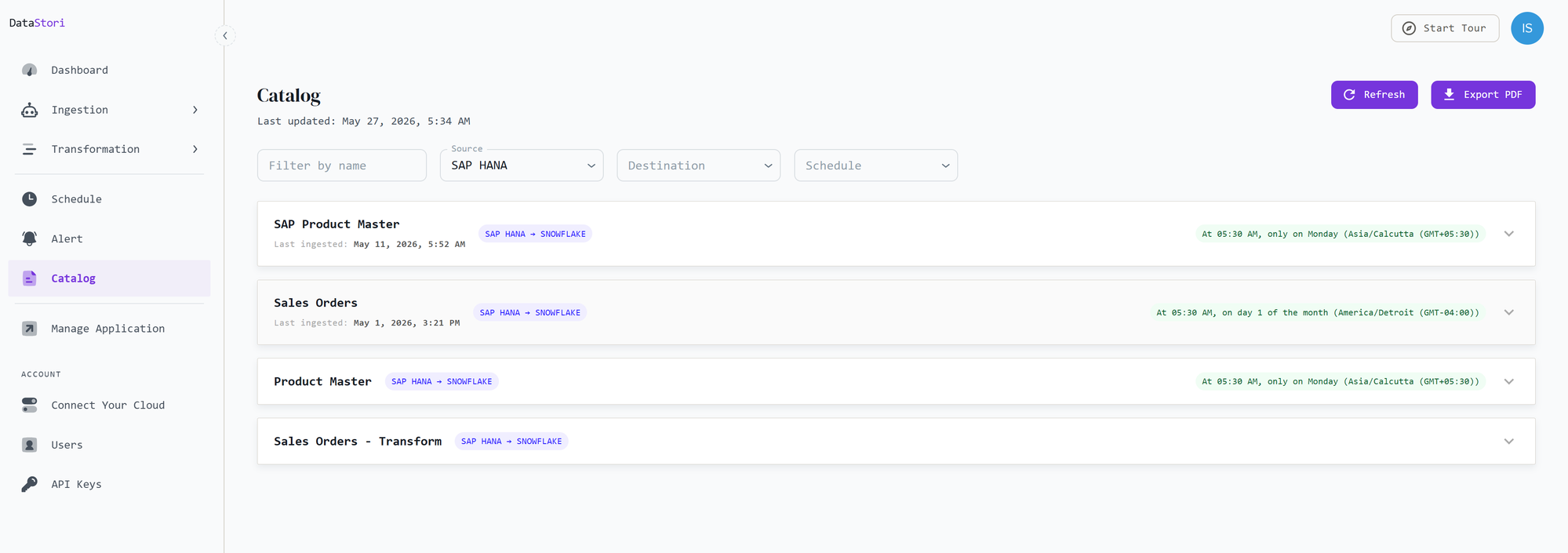
Use the filters at the top to narrow the list by name, source, destination, or schedule. You can also refresh the catalog or export it as a PDF.
Dataset details
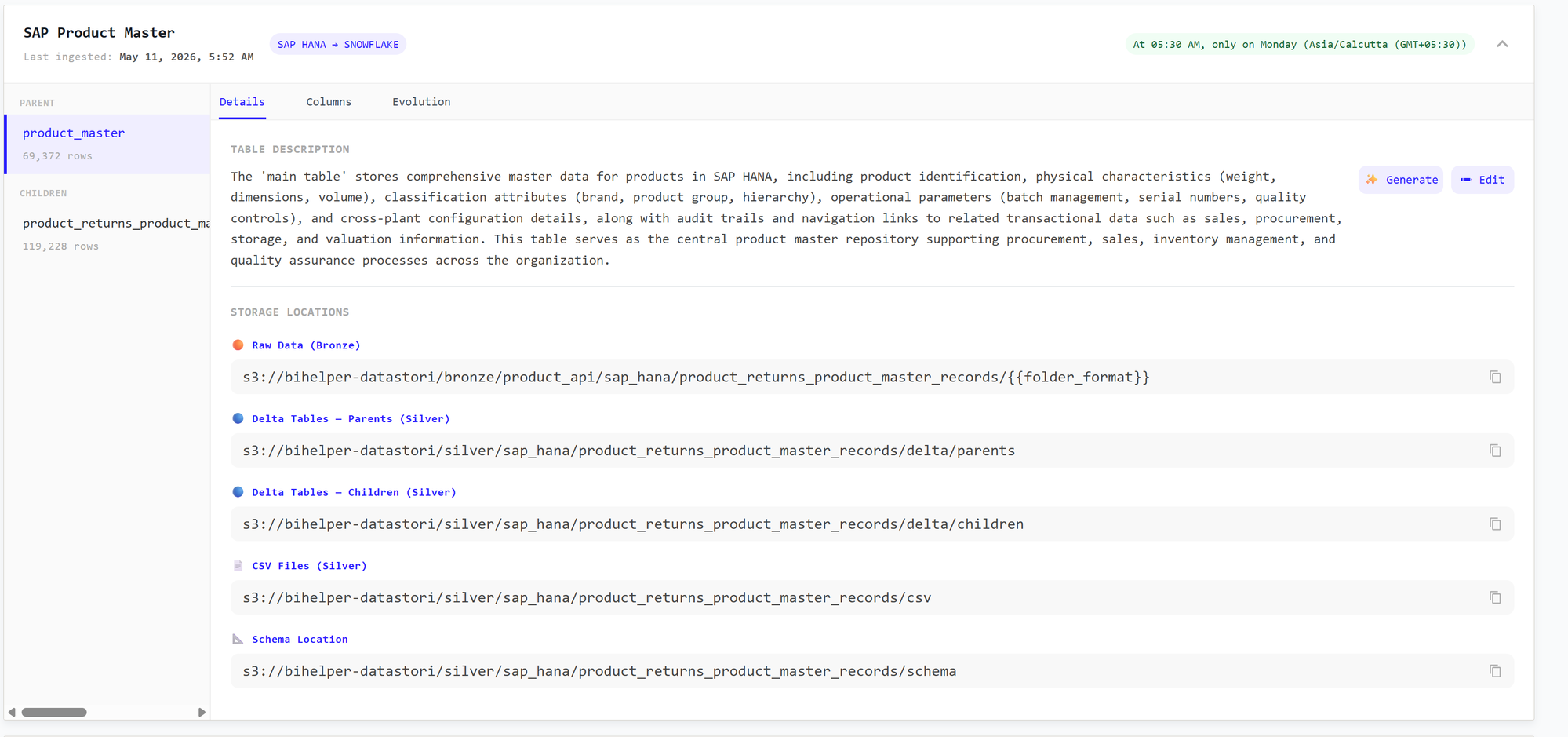
Expand a dataset to see its full documentation. Each dataset is organized into Details, Columns, and Evolution tabs, with parent and child tables (and their ingested row counts) listed on the left.
The Details tab includes:
- a table description explaining what the data represents — you can write this yourself or Generate it automatically, and
- the storage locations where the resources can be found across each layer: Raw Data (Bronze), Delta Tables and CSV files (Silver), and the Schema Location.
Column descriptions
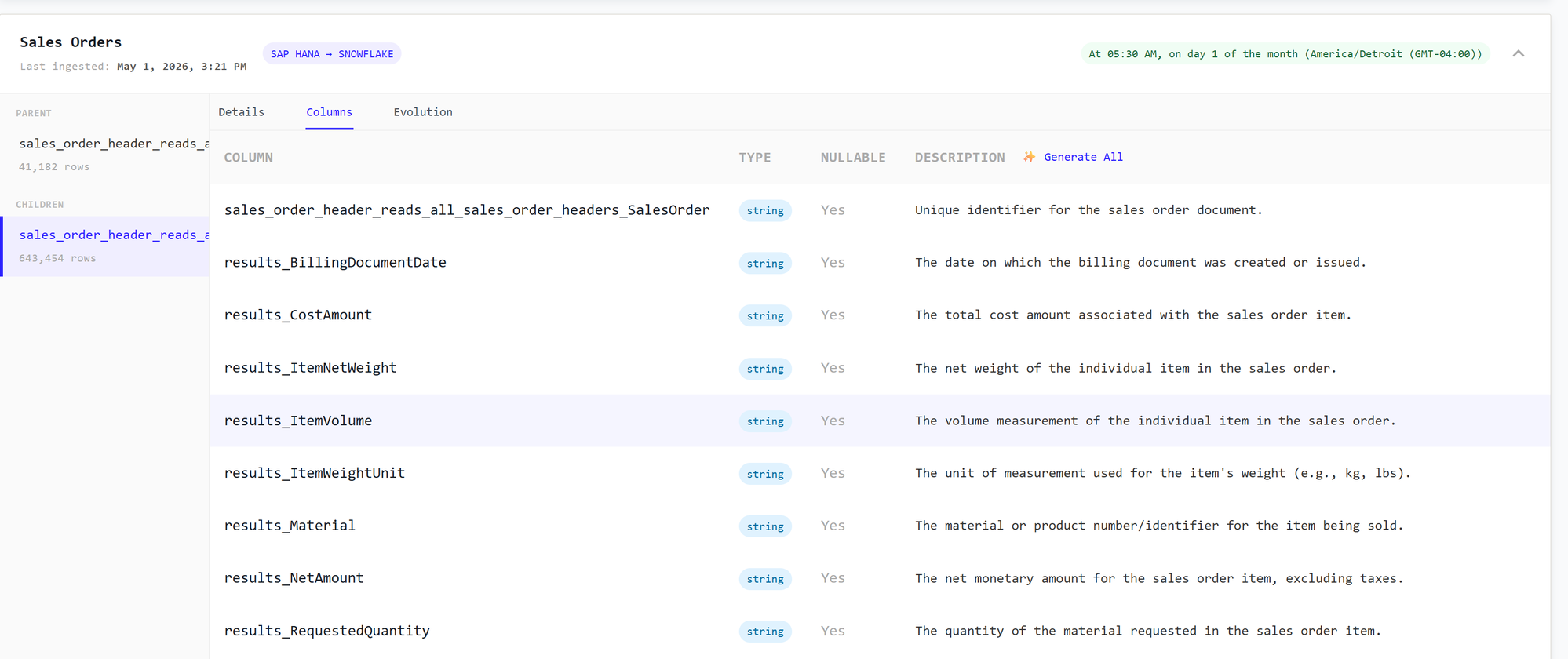
The Columns tab lists every column with its type, whether it is nullable, and a description. You can add column descriptions yourself or use Generate All to create them automatically.
The table and column descriptions you add here are fed into the data model, so the documentation you write in the catalog enriches the model that powers transformations.
Schema evolution
The Evolution tab documents how a dataset's schema has changed over time, giving you a record of schema evolution for each table.
Bronze, silver, and gold layers
The catalog tracks information for all three layers of your data — bronze (raw), silver (cleaned, deduped delta tables and CSVs), and gold. The output of transformation pipelines, which is written to the gold layer, is tracked and documented here as well.